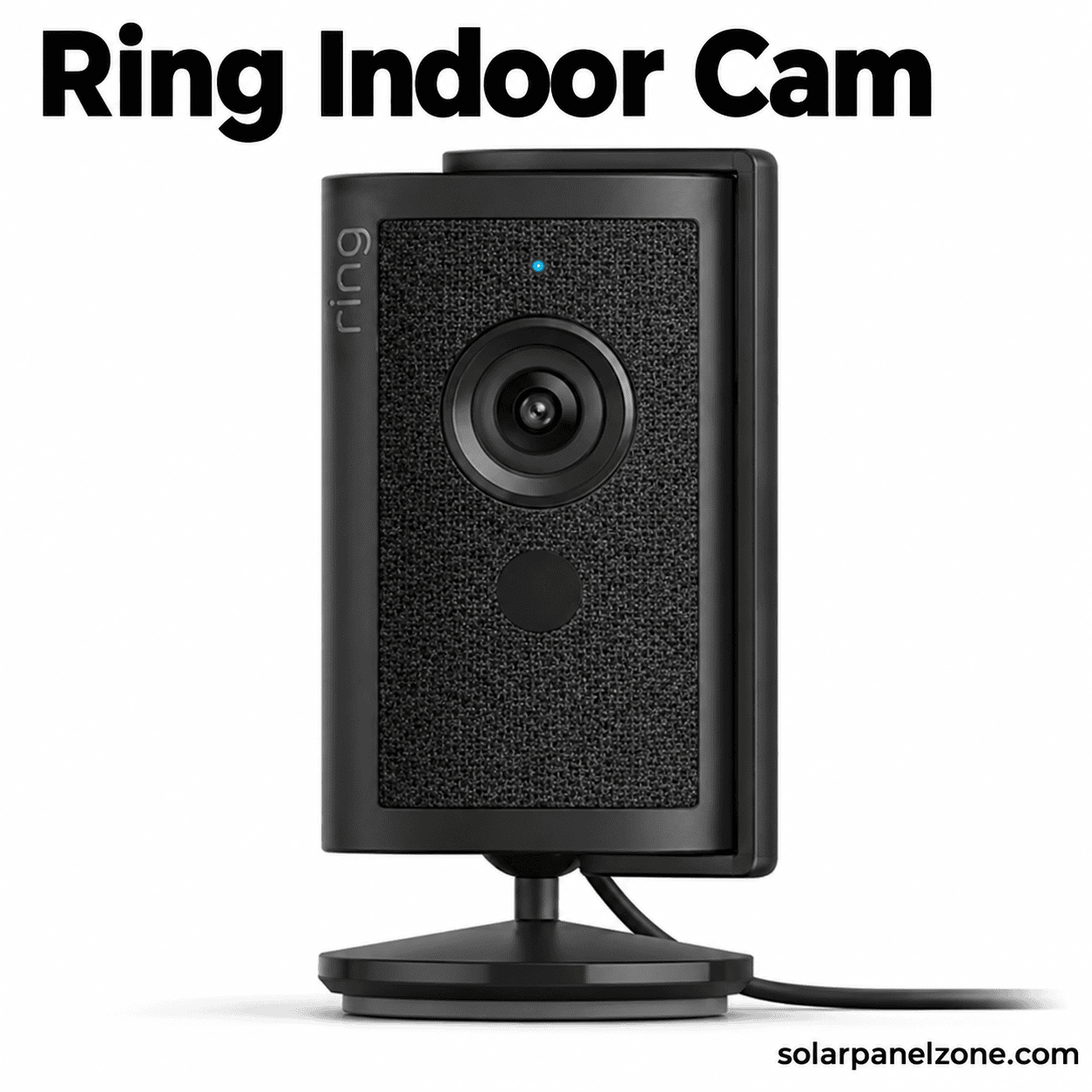
What Is the Ring Indoor Cam?
The Ring Indoor Cam is a small, plug-in security Ring Indoor Cam for use inside your home. You watch it through the Ring app on your phone or tablet, and it also works with Amazon Alexa and Echo Show displays.
It is not a battery camera and it is not weatherproof. It is an indoor-only Ring Indoor Cam that plugs into a standard outlet for continuous power. ring
If you only want to check on a room, it works without paying anything extra. Live video and instant alerts work without a subscription. Saving, reviewing and sharing clips is where the paid plan comes in. target
Why Choosing the Right Model Is Harder Than It Looks
Ring Indoor Cam sells several indoor cameras with similar names and similar designs. Prices also swing a lot during sales, so a $60 Ring Indoor Cam one month can be $35 the next.
The lineup has also changed. Ring Indoor Cam now sells an Indoor Cam 4K, and the Ring Indoor Cam many people still call the Stick Up Ring Indoor Cam is now called the Ring Outdoor Cam. If you’re reading an older review or forum thread, check which model it actually covers. security
The Current Ring Indoor Camera Lineup
Here is how the four indoor options compare on the points that matter most.
| Model | Video | Wi-Fi | Typical price | Best for |
|---|---|---|---|---|
| Ring Indoor Cam (2nd Gen) | 1080p HD, color night vision | 2.4 GHz | $29.99 on sale, $49.99 list | Lowest cost, single rooms |
| Ring Indoor Cam Plus | Retinal 2K with HDR | 2.4 GHz | $34.99 on sale, $59.99 list | Sharper detail on a budget |
| Pan-Tilt Indoor Cam | 1080p HD, 360° coverage | 2.4 GHz | from $59.99 list | Covering a whole room from one spot |
| Ring Indoor Cam 4K | True 4K with HDR | Dual-band, Wi-Fi 6 | $99.99 last recorded | Maximum detail, steadier connection indoor security cameras +4 |
Prices above are US figures and move often. Check Ring Indoor Cam page for your country before you buy.
Ring Indoor Cam (2nd Gen)
This is the entry point. It ships with a 6.5-foot cable and can sit on its stand or mount to a wall or ceiling. It also has a physical privacy cover and an app-triggered siren. target
Choose it if you want a basic, dependable room camera for a hallway, living room or pet area.
Ring Indoor Cam Plus
The Plus is the sharper option. It records at 2560×1440 resolution, which Ring Indoor Cam calls Retinal 2K. It adds HDR and a removable lens cover. ring
In a head-to-head comparison, the Plus came out ahead of the Pan-Tilt on image quality. The Pan-Tilt wins mainly on its ability to rotate and cover the whole room. smarthomecompared
Pan-Tilt Ring Indoor Cam
If your room is wide or irregular, a Ring Indoor Cam that turns can replace two fixed ones. That makes it a good fit for open-plan living areas, playrooms and shop floors.
The trade-off is resolution. It tops out at 1080p, so fine details like faces across a big room are softer than on the Plus or 4K.
Ring Indoor Cam 4K
The 4K model is for people who care most about detail and connection quality. Moving up from the Plus buys a true 4K sensor with HDR, dual-band Wi-Fi 6, and Familiar Faces support in the app. smarthomecompared
It costs roughly double the Plus, so it only makes sense if the extras matter to you.
Where the Outdoor Cam Fits
None of these indoor models belong outside. The Indoor Cam Plus has no weather resistance rating and must stay indoors. For a porch, driveway or yard, look at the Outdoor Cam or Spotlight Cam range instead. smarthomecompared
Which Ring Indoor Cam Should You Buy?
Work through these questions in order and stop at the first match.
- Is your budget the main limit? Get the 2nd Gen, or the Plus if it’s on sale.
- Do you need to read details like labels, faces or small objects? Get the Plus or the 4K.
- Is the room wide, or do you need to follow movement? Get the Pan-Tilt.
- Does your router struggle on 2.4 GHz, or do you want the steadiest picture? Look at the 4K.
- Do you need an outdoor view? None of these will do. Choose a weatherproof camera.
Use-case shortcuts
- Baby room or nursery: Plus for clarity, Pan-Tilt if the crib and door are far apart.
- Pets: 2nd Gen is usually enough. A pan-tilt helps if the pet roams.
- Garage: Plus or 4K. One reviewer installed the Plus in a garage to watch bikes and a motorcycle, though they reported artifacts and cut-outs despite no Wi-Fi trouble elsewhere in that space. tomsguide
- Rental or apartment: Any model. It sits on a shelf with no drilling required.
- Small shop or short-term rental: Fine for storerooms and back offices. Read the privacy section below first.
What Ring Protect Really Costs
This is the part that surprises buyers most, so it’s worth doing the math before checkout.
What you get for free
- Live view from anywhere
- Instant motion alerts
- Two-way talk and the siren
What needs a Ring Protect plan
- Saved video clips and history
- Sharing videos
- Smarter alerts and features such as person detection and Familiar Faces
Recordings are stored for up to 180 days with a plan, and each Indoor Cam includes a free 30-day Basic trial. Protect Plus starts at $10 a month per home and covers all your Ring cameras and doorbells there. Some AI-based features cost more. One reviewer cites $20 a month for natural-language search and more descriptive alerts. • HD Video +2
A quick cost reality check
A $35 camera on a $10-a-month plan costs around $395 over three years, with the plan making up most of it. A camera that records to an SD card can look more expensive up front and still win over that period.
If you already have several Ring devices, one Plus plan covering all of them changes the math in Ring’s favor.
Wi-Fi, Power and Reliability
The 2.4 GHz catch
Most Ring indoor cameras connect on 2.4 GHz only. The 2nd Gen works with 2.4 GHz (802.11 b/g/n) networks. The 4K is the exception, since it adds 5 GHz and Wi-Fi 6. target
If setup fails, check whether your phone is on a 5 GHz network during pairing. Many dual-band routers merge the two under one name, which causes confusion. Temporarily splitting them usually fixes it.
Power cuts and unplugging
Because it’s plug-in only, the camera goes offline when power fails. The good news is that recovery is automatic. It should reconnect to your Wi-Fi after an outage, and unplugging it doesn’t delete past recordings. target
If outages are common where you live, a small UPS or power bank on the router and camera keeps coverage running.
If the video stutters
Move the router closer, avoid placing the camera behind thick walls, and reduce clutter on the 2.4 GHz band. If problems continue, the 4K’s dual-band connection is the more robust option.
How to Set Up a Ring Indoor Cam
Setup takes about five to ten minutes.
- Plug it in and wait for the camera to enter setup mode.
- Install the Ring app and sign in or create an account.
- Choose Set Up a Device and scan the QR code on the camera.
- Select your 2.4 GHz Wi-Fi network and enter the password. (On the 4K, 5 GHz also works.)
- Name the room and confirm live view works.
- Set motion zones. Zones let you pick the areas to watch, which cuts down on alerts caused by ceiling fans or TV screens. dell
Placement tips
- Mount it at roughly shoulder height or slightly above, angled down.
- Avoid pointing it at a bright window. Glare and reflections cause false alerts.
- Don’t aim it through glass at night. Infrared light reflects off windows and washes out the picture.
- Keep the cable tidy and out of reach of pets and children.
For reference, one Ring Indoor Cam listing gives a 140° diagonal, 115° horizontal and 60° vertical field of view, so a single camera in a corner covers most of a normal room. verizon
Privacy, Security and Legal Basics
A camera in your home is a privacy decision as much as a security one.
- Use the privacy cover when you’re home. Both the 2nd Gen and Plus include a manual cover.
- Turn on two-factor authentication in the Ring app and use a unique password.
- Never place cameras in bathrooms or bedrooms where people expect privacy.
- Tell guests and staff if a camera records inside shared or business spaces.
- Check local rules. Consent, signage and data retention laws differ by country and region. In the EU and UK, cameras that capture other people can fall under GDPR-style rules.
If you rent out a property, notify guests and keep cameras out of sleeping areas.
Pros and Cons at a Glance
Pros
- Low entry price and frequent sales
- Simple app setup, and works well with Alexa and Echo Show
- Privacy cover and siren on core models
- Live view works with no plan
Cons
- Saved video relies on a paid plan
- Most models are 2.4 GHz only
- Indoor use only, and it needs a wall outlet
- Reviewers have reported connection hiccups on some units
Alternatives Worth Considering
Ring isn’t the only choice, and for some people it isn’t the best one.
| Option | Why consider it |
|---|---|
| Wyze, TP-Link Tapo, Eufy | SD-card storage and lower running costs |
| Arlo, Reolink | More advanced features or wired options |
| Wired CCTV from a local installer | Multi-room coverage and no cloud dependency |
Ring makes the most sense when you already use Alexa or own other Ring devices. If you want local storage and no monthly fee, look elsewhere.
Common Mistakes to Avoid
- Buying based on a sale price without checking the plan cost
- Assuming every model has the same features, including siren, storage and Wi-Fi bands
- Using an indoor camera on a porch or in a garage with no climate protection
- Placing it facing a window
- Skipping motion zones, then turning off alerts out of frustration
- Ignoring regional availability, plug type and warranty terms when importing from another country
Buying Outside the US
Ring has regional pages for markets such as the EU, UK and Australia, and prices differ by country. For example, an Australian review lists a $99 recommended price for the Indoor Cam Plus, with a one-year warranty. gadgetguy
Before you buy:
- Confirm the plug type and voltage match your outlets
- Check Ring Protect pricing in your country
- Make sure the warranty is valid where you live
- Be cautious with resellers if Ring doesn’t officially sell in your market
FAQs
Does the Ring Indoor Cam need a subscription?
No. You can still watch live video and receive instant alerts without one. You only need Ring Protect to save, review and share recordings. target
Can I use it outdoors?
No. It has no weather resistance and is built for indoor use only. Choose an Outdoor Cam or Spotlight Cam for outside areas.
What’s the difference between the Indoor Cam and Indoor Cam Plus?
The Plus records at 2K with HDR instead of 1080p and adds a removable lens cover. The two otherwise share the same plug-in design and 2.4 GHz Wi-Fi.
Does it work with Google Home?
Ring’s strongest integration is with Alexa. One reviewer noted the Plus is not compatible with ecosystems like Google. Another review lists Google Assistant integration for the 2nd Gen. Check your exact model’s support page before relying on it. tomsguidesecurity
Does it record without Wi-Fi?
No. It needs a Wi-Fi connection to stream and to upload clips. If the network drops, it can’t send alerts or video until it reconnects.
Does it have local storage?
Sources conflict on this for the Plus. Treat cloud storage through Ring Protect as the default, and confirm on Ring’s product page if local storage matters to you.
How long is the power cable?
The 2nd Gen comes with a 6.5-foot micro-USB cable and power adapter. Use a longer extension rated for indoor use if your outlet is farther away. target
Can I put several cameras on one plan?
Yes. Protect Plus covers all your Ring devices at one home. That’s one reason a multi-camera setup can cost less per camera than it first appears. ring
Will it work during a power cut?
Not while the power is off. It restarts and reconnects on its own when electricity returns.
Conclusion
The Ring Indoor Cam family is a sensible, affordable way to keep an eye on a room, as long as you understand the trade-offs before buying. Live view is free. Recording is not.
For most people, the 2nd Gen or Plus covers the need. Pick the Pan-Tilt for wide spaces and the 4K if you want the sharpest picture and a more robust connection. Before you check out, compare the plan cost over three years, confirm your Wi-Fi band, and check that your region is supported.
Unfulfilled Points: First-hand test notes, photos and side-by-side footage weren’t included because no hands-on testing was available. Region-specific prices, plug types and warranty terms weren’t listed in full because they weren’t verified per country. Storage, siren and Google Home support conflict across sources, so those points are hedged instead of stated as fact.
These information about solar panel mounting are gathered from different surveys, medical tests and tech giants like Tom’s Guide and more. Our top priority is to provide you valuable information.
For More Details About Different Solar Panels Click Here