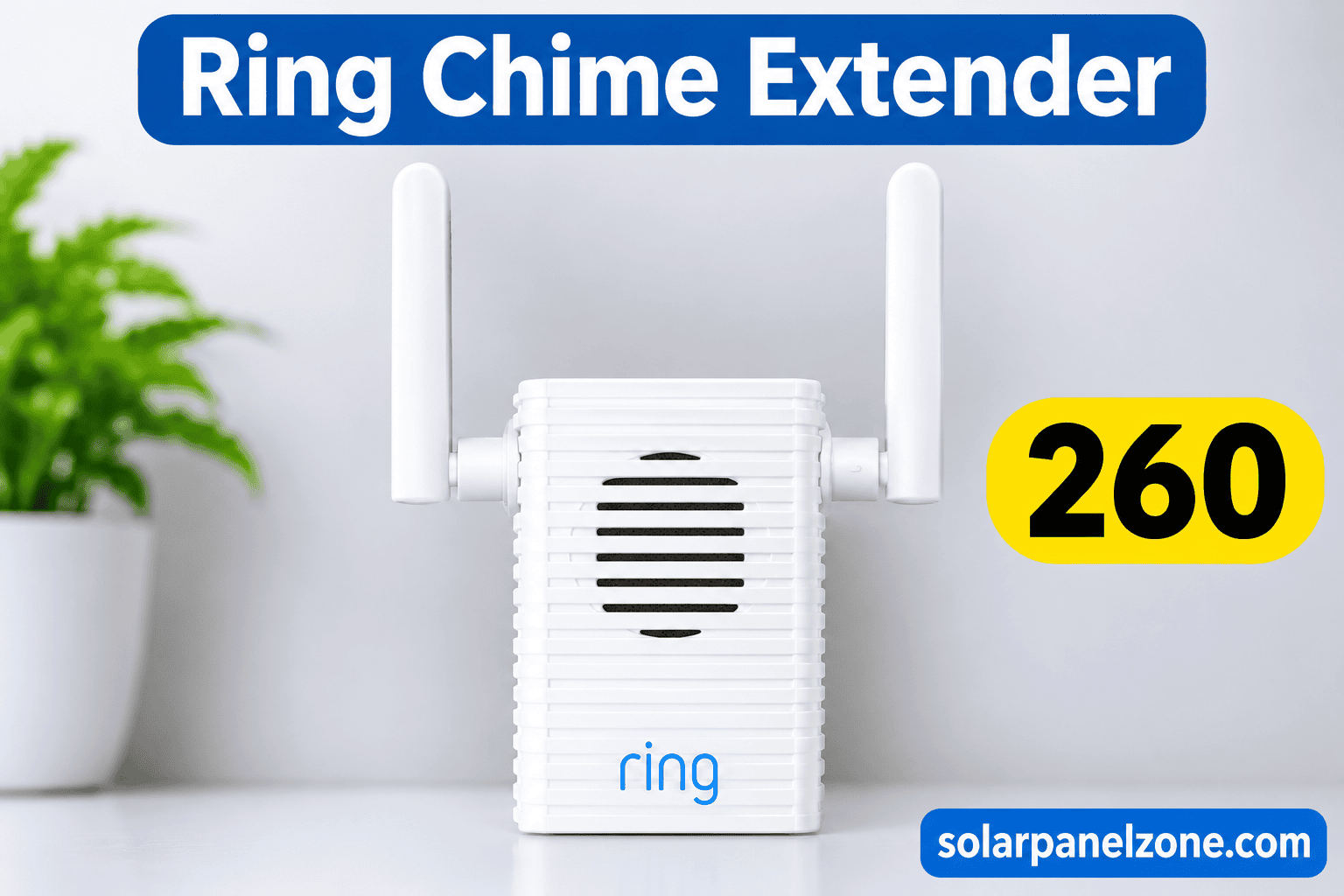
What Is a Ring Chime Extender?
A Ring chime extender is the Ring Chime Pro: a plug-in Wi-Fi extender and indoor Ring Chime Extender 260 made for Ring Chime Extender 260 doorbells and cameras. Ring describes it as a device that extends your Wi-Fi signal and amplifies your Ring alerts once it’s plugged into a standard outlet and linked to your Ring Chime Extender 260 devices. ring
It does two jobs. It relays a stronger connection to Ring hardware that sits far from your router, and it plays a tone indoors when someone Ring Chime Extender 260 or motion is detected.
It works with all existing Ring Chime Extender 260 Video Doorbells and Security Cameras. That includes battery doorbells, wired doorbells and Stick Up Cams. ring
What Does “260” Mean in “Ring Chime Extender 260”?
People searching this phrase are almost always after the Ring Chime Extender 260 Pro. I couldn’t match “260” to any official Ring Chime Extender 260 product name, so it’s most likely a model fragment, a retailer listing code or a typo.
Before you buy, check the product name on the box or listing. It should say Ring Chime Extender 260 Pro and show whether it’s 1st or 2nd generation. If a listing only gives a number, look for the Ring Chime Extender 260 brand name and a clear product title.
How Ring Chime Pro Works
The Ring Chime Extender 260 Pro connects to your home Wi-Fi like any other device. You then tell the Ring Chime Extender 260 app which doorbells and cameras should use it as their connection point.
That last step matters. According to one hands-on review, you have to manually select whether other Ring devices should use the extended Wi-Fi network a Ring Chime Extender 260 creates. It doesn’t happen automatically. expertreviews
Once linked, a camera at the far end of your property talks to the Ring Chime Extender 260 nearby instead of reaching all the way to the router. That shorter hop is why placement matters more than anything else about the device.
Internet speed still matters
The extender can’t make a slow connection fast. Ring Chime Extender 260 lists a baseline of 4 Mbps for 1080p Ring Chime Extender 260 devices, or 2 Mbps for 720p devices. If your broadband falls below that, fix the connection first. ring
What It Can’t Do
This is the part many buyers miss. The Chime Pro boosts the signal only for Ring devices. Ring states that the extender works only with Ring Chime Extender 260 Video Doorbells and Security Cameras and isn’t compatible with other electronics. ring
Your phone, TV and laptop won’t see an improvement. If the whole house has weak Wi-Fi, a general-purpose mesh system is the better answer.
Results also vary by home. Reviewer experiences range from noticeably better reliability and speed to little or no gain, and a few reviewers concluded a mesh system worked better for them. bestbuy
Chime Pro 1st Generation vs 2nd Generation
The two generations look similar but differ in important ways.
| Feature | 1st gen | 2nd gen |
|---|---|---|
| Wi-Fi bands | 2.4 GHz only | Dual-band 2.4 GHz and 5 GHz |
| Wi-Fi standard | 802.11 b/g/n | 802.11 a/b/g/n/ac |
| Nightlight | No | Yes |
| Placement help in the app | Basic | Guided feedback during setup |
| Works with all Ring devices | Yes | Yes |
The 1st gen supports 802.11 b/g/n at 2.4GHz only. The 2nd gen adds dual-band connectivity, a built-in nightlight and guided setup feedback to help you find the best spot. ringring
If you’re buying new, the 2nd gen is the sensible choice. Buy the 1st gen only if the price is clearly lower and your router broadcasts 2.4 GHz.
Chime vs Chime Pro vs Mesh Wi-Fi
Ring sells two plug-in chimes. The standard Chime plays sounds only, while the Chime Pro adds the extender. A mesh system such as Amazon eero sits in a different category.
| Ring Chime | Ring Chime Pro | Mesh Wi-Fi (eero, Deco, Nest Wifi) | |
|---|---|---|---|
| Plays Ring Chime Extender 260 alerts | Yes | Yes | No |
| Extends Wi-Fi | No | Ring Chime Extender 260 devices only | Whole home |
| Nightlight | No | 2nd gen only | No |
| Typical US price | About $35 | About $60 | Higher |
| Best for | Hearing alerts | Weak Ring Chime Extender 260 signal | Weak signal everywhere |
Ring itself points to mesh as an option for reducing weak Wi-Fi areas across your home and improving connectivity for all smart devices. ring
Do You Need a Ring Chime Extender 260? A Quick Decision Path
Work through this in order.
- Open the Ring Chime Extender 260 app and check Device Health. If signal is strong and the device rarely drops, you likely need nothing, or just a plain Ring Chime Extender 260 for sound.
- Is Wi-Fi weak for your phones and TVs in the same area? If yes, choose mesh.
- Is only the Ring device struggling? If yes, a Ring Chime Extender 260 is a good, low-cost fix.
- Is your router 5 GHz-only or dual-band? Pick the 2nd gen.
- Do you have devices on different floors or buildings? Plan on more than one unit, or move to mesh.
A simple rule: Ring Chime Extender 260 Pro for a Ring-only problem, mesh for a home-wide one.
How to Set Up Ring Chime Extender 260 Pro
Setup is quick. Reviewers report that both Chime models can be up and running in under ten minutes. expertreviews
- Plug the Chime Pro into an outlet about halfway between your router and the Ring device.
- Open the Ring app and tap Set Up a Device, then choose Chime Pro.
- Scan the QR code on the unit.
- Select your home Wi-Fi network and enter the password.
- Use the in-app guidance to check the placement.
- Choose which Ring devices should connect through the Chime Pro.
- Pick an alert tone, set the volume and press your doorbell to test.
Tones include classic and seasonal options, and you can snooze alerts for a quiet period. target
Where to Plug In a Chime Pro
Placement decides whether the device helps or not. Use these rules.
- Aim for the middle. Pick an outlet roughly between the router and the Ring device, and make sure the Chime Pro itself has a solid signal there.
- Don’t plug it next to the doorbell. It would share the same weak signal.
- Don’t plug it next to the router. You’d gain almost nothing.
- Avoid big obstacles. Thick masonry, metal cabinets, mirrors and large appliances weaken the signal.
- Stay indoors. It’s an indoor device.
- Test and move it. If results disappoint, Ring’s guidance is to unplug it for 30 seconds, then plug it back in, and try a different outlet. bestbuy
Example: your camera is in a detached garage and the router is upstairs. An outlet in a ground-floor room facing the garage usually works better than one in the upstairs hallway.
Multi-Floor Homes, Garages and Larger Properties
One unit won’t always be enough. In a large or multi-storey home, a second Chime Pro near the next dead zone can keep every device within reach of a relay.
A practical way to approach it: start with one unit near the worst-performing device, then check Device Health after a day or two. Add another only if a different device is still struggling.
Retailer listings also suggest placing multiple Chime Pro devices around your home to keep compatible Ring devices connected and alerts audible everywhere. lowes
For Landlords, Property Managers and Installers
If you manage several units, the Chime Pro can be a simple, repeatable fix. Each unit is a plug-in install with no wiring.
- Standardise one generation across a building so setup and support stay consistent.
- Label each device with the unit it serves.
- Check regional plug types before ordering in bulk.
- Test in occupied conditions. Apartment blocks often have crowded Wi-Fi channels.
- Consider mesh or a wired access point when many Ring devices share one signal-poor area.
For commercial or larger multi-property jobs, a certified smart-home installer can assess the network properly.
Troubleshooting: Chime Pro Not Working or Not Helping
Run through this checklist in order.
- Unplug the Chime Pro for 30 seconds, then plug it back in.
- Confirm your router is on a band the unit supports (2.4 GHz for 1st gen).
- Move the unit closer to the router, then closer to the Ring device if signal is solid.
- Re-run the in-app placement guidance.
- Check that the Ring device is actually set to use the Chime Pro.
- Restart your router.
- Check for app and firmware updates.
- Contact Ring Support if the problem continues.
If it still doesn’t help, your home may simply suit a different solution. A mesh system or a wired access point often fixes problems a single extender can’t.
Ring Chime Pro Price Around the World
Prices vary by country and retailer. Here are listings I saw for the 2nd gen:
| Region | Listed price |
|---|---|
| United States | $59.99 |
| United Kingdom | £49.99 |
| Europe | €59.99 |
| South Africa | R 1,099.00 A 79309683 +3 |
The plain Chime has been listed around $34.99 in the US, which makes the Pro roughly $25 more. Treat all figures as approximate, since sales and stock change often. pathofex
Plugs, voltage and warranty
The unit is rated for 110-240 VAC and ships with plug adapters for the US, UK, EU and AU depending on destination. ring
- Buy from a seller in your own region so the plug fits.
- Check the warranty. Ring lists a 1-year limited warranty. ring
- “Near me” shopping is mostly electronics and home-improvement chains, but Ring’s own regional stores and major online retailers are usually easier.
Safety, Updates and Power Use
Use the Chime Pro indoors, in a standard outlet, and don’t use it with damaged plugs or adapters. Ring publishes safety, compliance and recycling details for the device on its support site.
On software, Ring notes that owners can see software security update information for their device in Ring Control Center. ring
Power use is minor. The Pro draws a little more power than the standard Chime, but not enough to matter in a typical home. expertreviews
Pros and Cons
Pros
- One device does both extender and chime
- Setup takes a few minutes in the Ring app
- Dual-band support and a nightlight on the 2nd gen
- Volume control, tones and snooze
- Works with every Ring doorbell and camera
Cons
- Helps only Ring devices
- Results depend heavily on placement and home layout
- Not a substitute for whole-home Wi-Fi
- Costs more than the standard Chime
Common Mistakes to Avoid
- Plugging it in beside the router or the doorbell
- Assuming it boosts Wi-Fi for phones and TVs
- Buying the 1st gen for a 5 GHz-focused setup
- Forgetting to link Ring devices to it in the app
- Expecting it to fix slow internet from your provider
- Ordering the wrong plug type for your country
Alternatives Worth Considering
- Mesh Wi-Fi (eero, Google Nest Wifi, TP-Link Deco): the best fix for whole-home dead zones.
- Wired access point: the most reliable option if you can run Ethernet.
- Moving the router: free, and sometimes enough.
- Standard Ring Chime: if you only need louder alerts.
Frequently Asked Questions
What is a Ring chime extender?
It’s the Ring Chime Pro, a plug-in device that boosts Wi-Fi for Ring doorbells and cameras and plays alert sounds indoors.
Does Ring Chime Pro boost Wi-Fi?
Yes, but only for Ring devices. It gives them a closer connection point, so they stay online more reliably when the router is far away.
Is Ring Chime Pro worth it?
It’s worth it when only your Ring device has a weak signal. If every device in your home struggles, mesh Wi-Fi is the better investment.
What is the difference between Chime and Chime Pro?
The Pro also extends Wi-Fi to Ring devices. The 2nd gen adds dual-band support and a nightlight. Both play alerts.
Can I use Chime Pro as a normal Wi-Fi extender?
No. It only supports Ring doorbells and cameras, not phones, laptops or other smart devices.
Does Chime Pro support 5 GHz?
The 2nd gen does. The 1st gen supports 2.4 GHz only.
Why is my Chime Pro not connecting?
Common causes are a weak signal at its outlet, the wrong Wi-Fi band, or a router that needs a restart. Power cycle the unit, move it closer to the router and retry setup.
How many Chime Pros do I need?
Start with one near the weakest device. Add another only if other devices still show poor signal, such as on a different floor or in a separate building.
Does Chime Pro work with Stick Up Cam?
Yes. It works with all Ring Video Doorbells and Security Cameras, including Stick Up Cam models.
Conclusion
A Ring chime extender, meaning the Chime Pro, is a simple, relatively low-cost fix for Ring devices that struggle to stay connected. It’s at its best when the router is far away and the problem is limited to your doorbell or cameras.
It won’t help every device in your home, and results depend on where you plug it in. Check Device Health, buy the 2nd gen, place it midway and test. If other devices are also struggling, go straight to a mesh system.
Unfulfilled Points: Real before-and-after test readings, an author bio and a “last updated” date couldn’t be included because I have no firsthand testing or author details to report. I also couldn’t confirm what “260” refers to, so the article treats it as an unverified model fragment.
These information about solar panel mounting are gathered from different surveys, medical tests and tech giants like Tom’s Guide and more. Our top priority is to provide you valuable information.
For More Details About Different Solar Panels Click Here