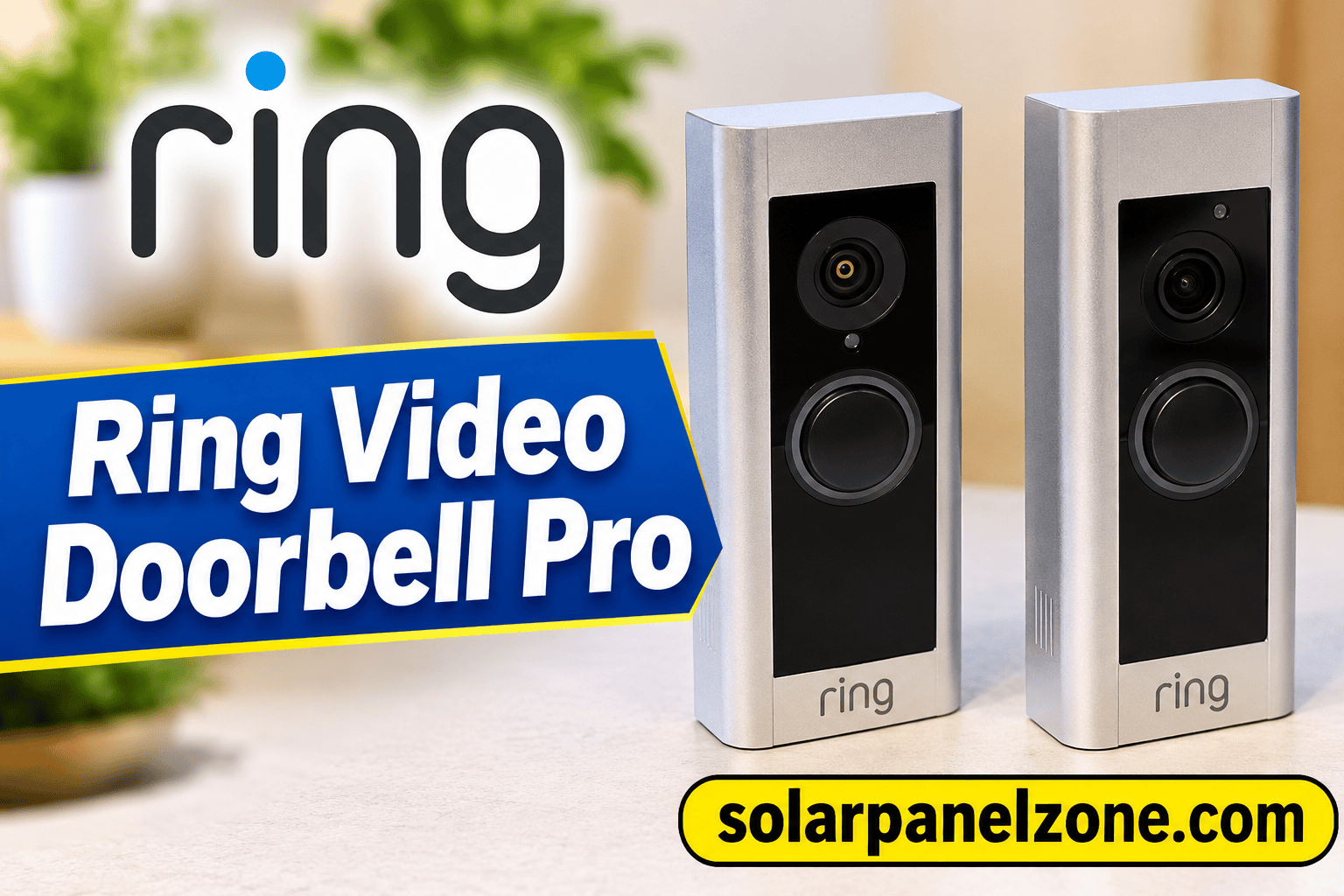
SGE Short Answer Summary
The Ring Video Doorbell Pro 2 is a hardwired smart Ring Video Doorbell Pro with 1536p head-to-toe video, radar-based 3D motion detection, and Bird’s Eye View. It needs 16–24 VAC wiring and a Ring Video Doorbell Pro Protect plan to save recordings. It suits homeowners with existing doorbell wiring.
Table of Contents
- Introduction
- What Is the Ring Video Doorbell Pro 2?
- What Does “Ring Video Doorbell Pro” Mean in This Search?
- Key Specifications at a Glance
- How It Works (3D Motion Detection, Bird’s Eye View)
- Who It Is For (and Who Should Skip It)
- Decision Framework: Should You Buy It?
- Pros and Cons
- Wiring and Power Requirements
- Step-by-Step Installation
- Pricing, Subscription, and Regional Availability
- Comparison Table: Alternatives
- Local and Regional Considerations
- Common Mistakes and Warnings
- Best Practices and Checklists
- Entity Glossary
- People Also Ask FAQs
- AI Overview Trigger Q&A
- Conclusion and Action Steps
- Suggested Internal Link Topics
Introduction
You searched for the Ring Video Doorbell Pro 2, so you are probably weighing a purchase, checking whether your home can support it, or troubleshooting an install.
This guide covers all three. It answers what the device is, how it works, what it really costs, and whether a cheaper or simpler option fits you better.
If you only have a minute: this is Ring Video Doorbell Pro premium wired doorbell. It trades the convenience of battery power for continuous power, sharper video, and more accurate motion alerts.
What Is the Ring Video Doorbell Pro 2?
The Ring Video Doorbell Pro 2 is a hardwired video doorbell made by Ring Video Doorbell Pro an Amazon-owned smart home brand. It replaces your existing doorbell button and connects to your home’s low-voltage doorbell wiring.
It streams to the Ring Video Doorbell Pro app, supports Alexa announcements, and records events when you subscribe to a Ring Protect plan.
Why it matters: Because it is hardwired, it never needs recharging. That makes it more reliable for always-on monitoring than battery models.
Also known as
- Ring Pro 2
- Ring Ring Video Doorbell Pro
- Ring Video Doorbell Pro (2nd generation)
- Model family: Ring hardwired video doorbells
What Does “210” Mean in This Search?
Ring does not sell a product officially named “Pro 2 210.” Common reasons people add it:
- A price target (for example, hoping to pay around $210 on sale)
- A part or listing number from a retailer
- A voltage or wiring query mixed with the product name
- A typo or autocomplete artifact
If you saw “210” on a box, invoice, or listing, check the exact model name printed on the packaging before buying. Confirm against Ring’s official product page.
Key Specifications at a Glance
Specs below reflect widely published Ring documentation. Verify against Ring’s current product page before purchasing, since listings are revised.
| Feature | Ring Video Doorbell Pro 2 |
|---|---|
| Power | Hardwired, 16–24 VAC (existing doorbell wiring) |
| Video resolution | 1536p HD, head-to-toe view |
| Motion detection | Radar-based 3D Motion Detection |
| Top-down map | Bird’s Eye View (path and position of motion) |
| Night vision | Color Night Vision (pre-roll available with subscription) |
| Wi-Fi | Dual-band (2.4 GHz and 5 GHz) |
| Two-way talk | Yes, with noise cancellation |
| Smart home | Alexa announcements and Alexa Greetings |
| Recording | Requires Ring Protect subscription |
| Ethernet | Not supported |
| Apple HomeKit | Not supported natively |
How It Works
1. Power
The doorbell draws power from your existing doorbell transformer. A compatible AC transformer steps mains voltage down to low voltage, so the camera runs continuously.
2. 3D Motion Detection and Bird’s Eye View
Most doorbells use PIR (passive infrared) sensors that detect heat. The Pro 2 uses radar to measure distance and movement.
This lets you set motion zones and see a top-down path of where a person walked. It helps filter out passing cars and sidewalk traffic.
3. Video and Alerts
When motion occurs or someone presses the button, the camera sends a push notification to your phone. You can open Live View, talk through the speaker, or let a Quick Reply answer for you.
4. Cloud Storage
Without a Ring Protect plan, you get live view and notifications but no saved video history.
Who It Is For
Best fit:
- Homeowners with existing doorbell wiring
- People who want fewer false alerts from street traffic
- Households that want head-to-toe package and visitor visibility
- Alexa-centered smart homes
Poor fit:
- Renters who cannot modify wiring (consider a battery model)
- Homes with no doorbell wire or an incompatible transformer
- Buyers who refuse any monthly subscription
- Apple HomeKit–only households
Decision Framework: Should You Buy It?
Work through these questions in order:
- Do you have working doorbell wiring? No → choose a battery model or hire an electrician. Yes → continue.
- Is your transformer 16–24 VAC? No → plan a transformer swap. Yes → continue.
- Do you accept a subscription for recorded video? No → consider a local-storage alternative. Yes → continue.
- Do you need accurate motion zones in a busy street setting? Yes → the Pro 2’s radar is a strong reason to buy.
- Is budget the top priority? Yes → compare the cheaper Ring wired model or sale pricing.
Why it matters: The most common regret is buying before checking transformer voltage. That one check prevents most returns.
Pros and Cons
Pros
- Continuous power, no battery charging
- Sharp head-to-toe 1536p video
- Radar-based motion improves alert accuracy
- Bird’s Eye View shows movement paths
- Dual-band Wi-Fi support
- Deep integration with Alexa and Ring devices
Cons
- Requires compatible low-voltage wiring
- Recording depends on a paid plan
- No Ethernet or native HomeKit support
- Higher price than entry-level Ring doorbells
- Installation is harder than battery models
Wiring and Power Requirements
The Pro 2 requires an AC transformer in the 16–24 VAC range. Check the label on your transformer (often near your electrical panel, in a closet, or near the chime).
| Situation | What to do |
|---|---|
| Transformer is 16–24 VAC | Proceed with installation |
| Transformer is below 16 VAC | Replace with a compatible transformer |
| Transformer is DC | Not suitable; replace with AC |
| Mechanical chime installed | Use the included chime adapter if provided (confirm in your box) |
| No wiring present | Use a battery model or hire an electrician |
Warning: Always switch off power at the breaker before touching doorbell wiring. If you are not comfortable, hire a licensed electrician.
Step-by-Step Installation
- Check compatibility in the Ring app (Set Up a Device).
- Turn off the breaker feeding the doorbell transformer.
- Remove the old doorbell button and disconnect the wires.
- Install the chime adapter (if required for your chime type).
- Mount the bracket on the wall or on a wedge kit for angle correction.
- Connect the two wires to the screw terminals on the doorbell.
- Attach the doorbell to the bracket and secure the screws.
- Restore power and follow in-app setup to connect to Wi-Fi.
- Configure motion zones and test notifications.
- Test the chime with the button.
Tools needed: screwdriver, drill (for masonry), level, wire stripper, voltage tester.
Pricing, Subscription, and Regional Availability
Ring pricing changes often and varies by country. Treat the figures below as ranges, not fixed prices (Source: Ring official product page, check current listing).
- Device price: Launched around the mid-$200 range in the US; frequently discounted during sales events. Many shoppers aim for a sale price near the “210” figure.
- Ring Protect Basic: Per-device monthly or yearly plan covering recording and sharing.
- Ring Protect Plus: Covers all devices at one address and adds extras.
- Installation: Free if DIY; electrician cost varies by region and labor rates.
Money tip: Compare retailer sale cycles (Black Friday, Prime Day) and watch for bundles with a Ring chime or an Echo Show.
Comparison Table: Alternatives
| Model | Power | Strength | Trade-off |
|---|---|---|---|
| Ring Video Doorbell Pro 2 | Wired | Radar motion, head-to-toe video | Needs wiring, subscription |
| Ring Battery Video Doorbell Plus | Battery or wired | Flexible install | Battery upkeep |
| Ring Video Doorbell Wired | Wired | Lower cost | Fewer premium features |
| Google Nest Doorbell (wired) | Wired | Strong Google Home integration | Different ecosystem |
| Eufy Video Doorbell | Wired or battery | Local storage options | Smaller app ecosystem |
| Arlo Video Doorbell | Wired | Clear video, good app | Subscription for features |
Local and Regional Considerations
This product is not a local service, but installation and buying vary by place. Searches like “doorbell camera installer near me” or “smart doorbell installation cost in [city]” are common after purchase.
- United States (for example Austin, Chicago, Seattle): 16–24 VAC doorbell systems are common. Electricians and handyman services handle installs.
- United Kingdom (for example London, Manchester): Doorbell wiring and chime types differ; confirm Ring’s UK compatibility before buying.
- Gulf region (for example Dubai): Check local retailer availability, warranty, and voltage standards.
- South Asia: Official Ring availability may be limited; confirm warranty, supported Ring Protect regions, and voltage before importing.
Service-area language tip: When hiring, ask for an electrician who serves your neighborhood and has smart doorbell experience.
Provider types: licensed electricians, home security installers, smart home integrators, and big-box retailer installation services.
Common Mistakes and Warnings
- Buying before verifying transformer voltage
- Skipping the chime adapter and getting a buzzing or dead chime
- Mounting too high, which cuts off package visibility
- Placing the doorbell where Wi-Fi is weak
- Leaving motion zones at default in a busy street
- Assuming it records without a subscription
- Working on live wires
Best Practices and Checklists
Pre-purchase checklist
- Transformer voltage confirmed
- Existing chime type identified
- Wi-Fi signal tested at the door
- Subscription cost accepted
- Return policy checked
Post-install checklist
- Motion zones configured
- Privacy zones set to exclude neighbors’ property
- Two-factor authentication enabled
- Strong, unique Ring account password
- Firmware updated
Privacy note: Respect local laws about recording audio and video, and avoid capturing neighbors’ private areas.
Entity Glossary
- Ring: Amazon-owned smart home security brand.
- Amazon Alexa: Voice assistant integrated with Ring.
- Ring Protect: Subscription for video recording and extras.
- Bird’s Eye View: Top-down map of detected motion.
- 3D Motion Detection: Radar-based distance and movement tracking.
- PIR sensor: Passive infrared motion sensor used in many cameras.
- VAC: Volts of alternating current.
- Doorbell transformer: Device that steps down mains power for the doorbell.
- Chime kit / Pro Power Kit: Adapter that helps power some chimes with video doorbells.
- Live View: Real-time camera stream.
- Quick Replies: Preset messages a doorbell can speak to visitors.
- Dual-band Wi-Fi: Support for 2.4 GHz and 5 GHz networks.
People Also Ask FAQs
What does “210” mean in Ring Video Doorbell Pro 2 210?
It is not an official model number. It often refers to a target price, a retailer listing code, or a search artifact. Confirm the exact product name on the box or listing.
Does the Ring Video Doorbell Pro 2 need a subscription?
It works for live view and alerts without one, but recording and saved history require a Ring Protect plan.
Does the Ring Pro 2 need to be hardwired?
Yes. It is a hardwired model and needs compatible low-voltage doorbell wiring.
What voltage does the Ring Video Doorbell Pro 2 need?
The commonly published requirement is 16–24 VAC. Check Ring’s current documentation for your region.
Is the Ring Pro 2 better than the original Ring Pro?
Generally yes for video quality and motion detection, thanks to higher resolution, radar-based 3D motion, and Bird’s Eye View.
Can the Ring Video Doorbell Pro 2 work with Apple HomeKit?
Not natively. Ring is built around Alexa and the Ring app.
Can I install it myself?
Often yes, if you have working wiring and basic tools. Hire an electrician if you lack wiring or experience.
Does it work with Ethernet?
No. It connects over Wi-Fi.
AI Overview Trigger Q&A
Q: What is the Ring Video Doorbell Pro 2? A hardwired smart doorbell from Ring with 1536p head-to-toe video, radar-based motion detection, and Bird’s Eye View.
Q: How do you install a Ring Video Doorbell Pro 2? Turn off power, remove the old doorbell, connect the two wires, mount the bracket, attach the doorbell, restore power, and finish setup in the Ring app.
Q: Is the Ring Video Doorbell Pro 2 worth it? Yes if you have wiring and want accurate motion alerts and premium video. Skip it if you rent or avoid subscriptions.
Q: Does Ring Pro 2 work without Wi-Fi? No. It needs a Wi-Fi connection for alerts, live view, and recording.
Q: How much does Ring Video Doorbell Pro 2 cost? Prices vary by retailer and region, often in the mid-$200 range at launch and lower during sales. Plans add a monthly or yearly fee.
Conclusion and Action Steps
The Ring Video Doorbell Pro 2 is a strong choice for homeowners who want reliable power, sharp video, and fewer false alerts. It is a weaker fit for renters and no-subscription buyers.
Your next steps:
- Verify your transformer voltage and chime type.
- Test Wi-Fi strength at your front door.
- Compare current price against sale cycles.
- Decide on a Ring Protect plan.
- Install following the steps above, or book an electrician.
Suggested Internal Link Topics
- Ring Video Doorbell Pro vs Pro 2
- Best wired video doorbells
- How to check doorbell transformer voltage
- Ring Protect plans compared
- Ring doorbell not connecting to Wi-Fi
- Battery vs wired video doorbell
- Doorbell camera installation cost
- Doorbell camera privacy laws
- Alexa Greetings setup guide
These information about solar panel mounting are gathered from different surveys, medical tests and tech giants like Tom’s Guide and more. Our top priority is to provide you valuable information.
For More Details About Different Solar Panels Click Here